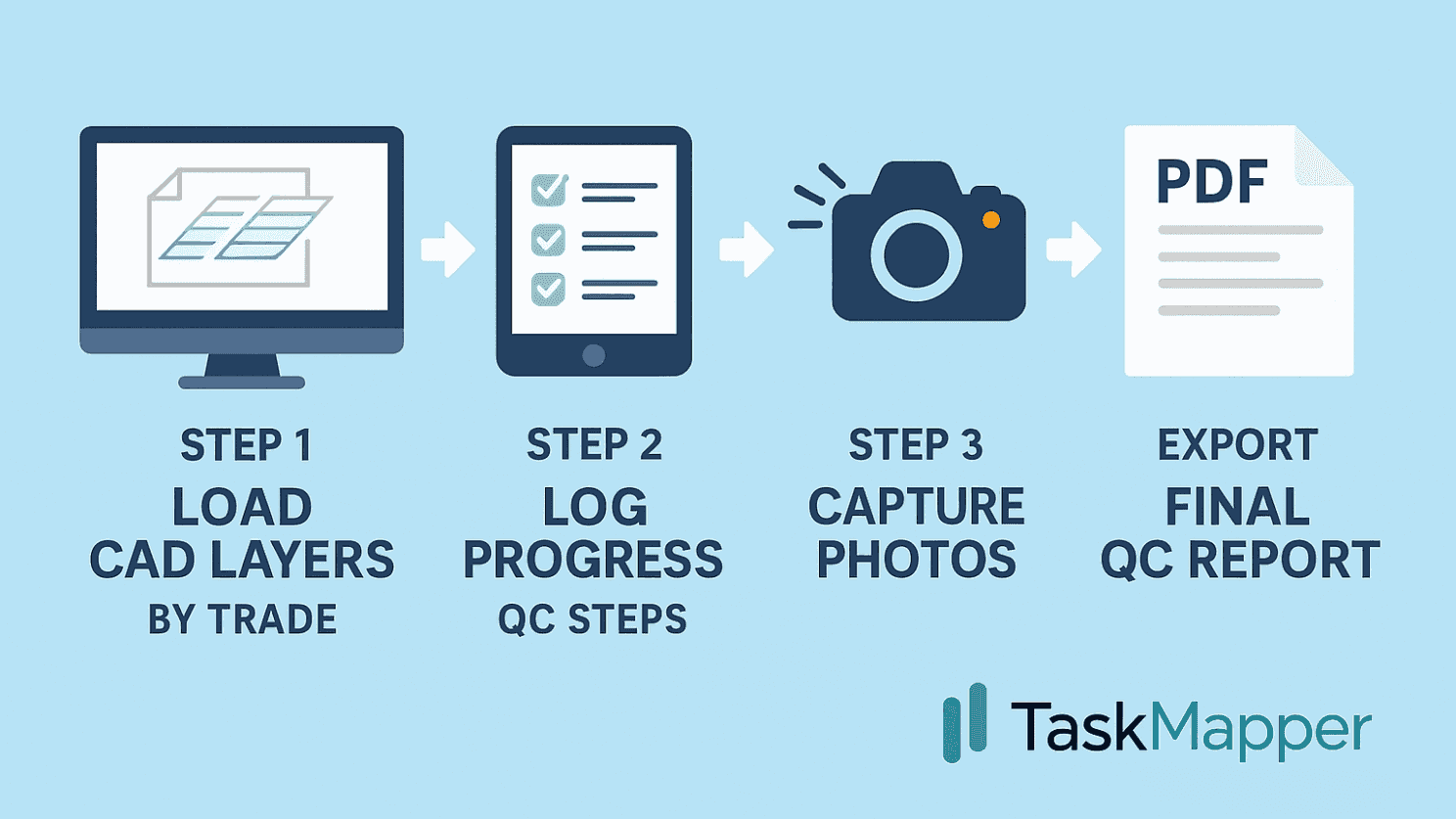
Quality control on solar sites has traditionally been a manual, repetitive process — checklists on paper, approvals via email, and daily progress logs compiled in spreadsheets. Our EPC client decided to change that by using Taskmapper’s Construction Workflows to build an entirely digital, automated QC process that connects design, progress, and approvals in one place.
Guide users through multiple checks and approvals
Capture photos and signatures at each step
Ensure nothing is missed before sign-off
Load CAD Layers by Trade: The team began by importing CAD layers for each discipline - Mechanical, Civil, and Electrical - into Taskmapper’s Maps module. Every activity, from pile installation to cable trenching, was spatially linked to the layout so that progress could be tracked directly on the site map.
Create Linked Construction Workflows: For each layer, a detailed construction workflow was defined. These workflows included both quantity-based progress tracking (e.g., number of piles installed, foundations cast, modules mounted) and embedded QC steps where required. QC was executed through digital forms with approval hierarchies, photos, and signatures - all connected to the specific asset or location on the map.
Capture Photos at Every Step: During both progress and QC stages, site teams captured geotagged photos using the Taskmapper mobile app. These images provided clear visual evidence for each task and step in the workflow - from pile driving to torque checks - ensuring every activity was properly documented.
Generate Auto-Compiled QC Reports: Once a workflow was complete, Taskmapper automatically compiled all data - including photos, digital signatures, timestamps, and approvals - into a QC report in PDF format, complete with the EPC branding, ready to be submitted to the project owner.
By bringing CAD data, workflows, and QC together, the EPC team not only saved hours of manual effort every week but also created a fully auditable digital trail from construction through handover.
To understand how Taskmapper can help automate your QC workflows, book a demo here.